FAQ
Why do I need this product and what does it offer to me?
1 What exactly is Paragon NTFS for Mac® OS X?
Paragon NTFS for Mac® OS X is a low-level file system driver specially developed by Paragon Software Group from the ground up. The driver is based on unique Paragon Technology called Universal Files System Driver (UFSD). It provides reliable, fast and full read/write access to Windows NTFS file system under Mac® OS X like native file systems and completely supports Mac® OS X 10.4 Tiger and 10.5 Leopard with G4, G5 and x86 architectures and all NTFS versions - from Windows NT 3.1 up to Windows Vista.
2 Why do I need to use this product?
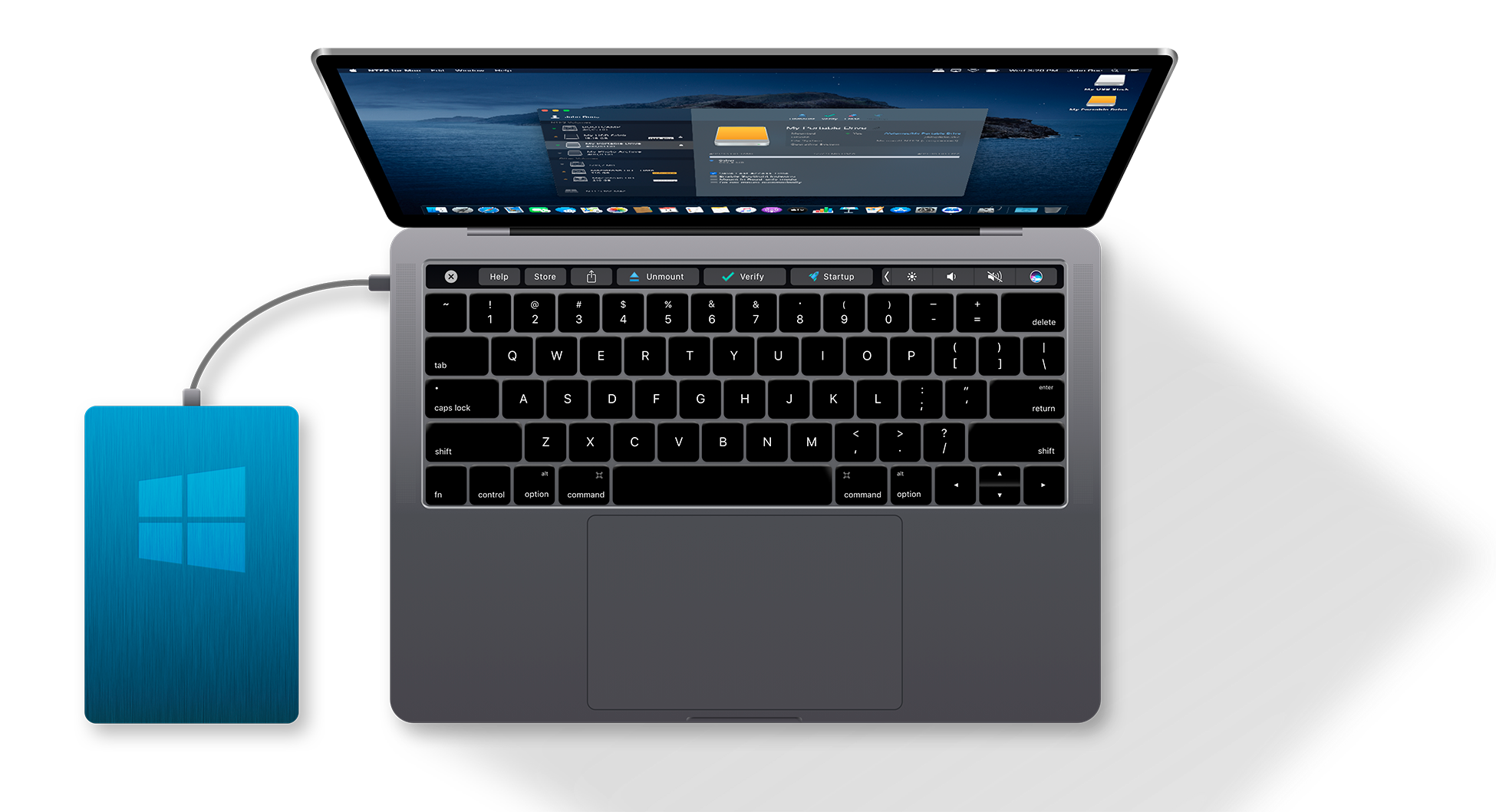
On one hand Mac® OS X doesn’t provide write access to NTFS partitions at all. On the other, Windows does not know a thing about HFS+, the primary file system for Macintosh computers. Paragon NTFS for Mac® OS X is intended to open up an effective two-way communication channel between Mac and Windows. There are a number of basic use scenarios: 1. You’re a Boot Camp user (Mac OS X + Windows) who can really appreciate full read/write access to NTFS under Mac and HFS+ under Windows. 2. You need to transfer data (files over 4GB) from your Mac to a Windows-based computer with an external hard drive. The FAT32 file system well supported by both operating systems cannot be used on that external drive, since it cannot process files over 4 GB. 3. You need to retrieve data from your Mac partition when you’re on the Windows side. 4. You’re not willing to bother with what file system your thumb drive or external hard disk uses. The only thing that matters is a 100% guarantee you’ll get full read/write access to them. 5. You need to provide unhampered data exchange within mixed corporate environment (Mac and Windows users).
3 Which editions of the software are there?
There is only one edition – Paragon NTFS for Mac® OS X 7.0.
4 What does Paragon NTFS for Mac® OS X software include?
The following components are included in the NTFS for Mac® OS X software: • Mac® UFSD Module – a low-level NTFS file system driver for OS X; • Check NTFS Utility – checks NTFS partition integrity, fix errors, creates and displays a status report about NTFS file system; • Make NTFS Utility – formats any partition as NTFS under Mac® OS X; • Installer/Uninstaller – to easily install and uninstall the software; • Register application – to easily register the software.
How to use the software
5 How do I use the software?
Just install the software like any Mac®- or Windows®-friendly application, that is all! You don’t have to do anything else! All NTFS/HFS+ partitions will be mounted automatically.
6 How do I install NTFS for Mac® OS X?
Launch the installation process by clicking on the supplied DMG disk image - NTFSforMacOSXx.x.dmg. After the installation package is extracted you can choose whether to install/uninstall the driver, read the manual or license agreement. Click “NTFS for Mac® OS X x.x” to install the driver. After going through the installation wizard the driver will be installed.
7 Do I have to install anything else to use the product and to get full read and write access to NTFS partitions?
No! Paragon NTFS for Mac® OS X is the only product you need to install.
8 What architectures are supported?
Paragon NTFS for Mac® is very reliable providing high performance for Intel-based x86 and PowerPC-based G4 and G5 platforms.
9 Which versions of Mac® OS X are supported?
The following Mac® OS X Versions were tested in the Paragon test lab: • Mac® OS X 10.4.6 Tiger and higher; • Mac® OS X 10.5 Leopard and higher.
New Features
10 What exactly is Paragon HFS for Windows?
It’s a file system driver that currently can offer read access to HFS+/HFSX volumes under Microsoft Windows.
11 What does Paragon HFS for Windows software include?
There are the following components of the HFS for Windows Software: • Windows® UFSD Module – a low-level HFS+ file system driver for Windows • Windows Name Space Shell Extension Module – provides a special unmapped folder in My Computer to browse HFS+ partition • Installer/Uninstaller – to easily install and uninstall the software
12 Does Paragon HFS for Windows assign drive letters to HFS+ partitions?
Yes, HFS for Windows is a fully functional file system driver (like native Windows NTFS or FAT driver or NTFS for MacOS X for example).
13 Does HFS for Windows support USB/Firewire drives?
Yes, of course. All HFS+ volumes will be automatically added to a special unmapped folder in My Computer after connecting a drive.
14 Does Paragon HFS for Windows support Apple Partition Map drives?
15 Is it possible to run Paragon HFS for Windows software under non-privileged user account?
Installation requires Admin privileges. After installation these privileges are not required.
16 Does Paragon HFS for Windows care about Resource Forks?
No. All files from HFS+ partitions will be copied to a NTFS/FAT partition without saving their Resource Forks.
17 Does Paragon HFS for Windows support change of additional file attributes?
File attributes (Read-only, Hidden, System) can not be changed. The user can mark or unmark corresponding checkboxes in the Properties dialog, but it doesn't really affect the attribute state.
18 Does Paragon HFS for Windows support "Drag’n’Drop" technique?
Yes, the software supports "Drag’n’Drop", but with following restrictions: 1. "Drag'n'Drop" (Copy/Paste) operations doesn’t work for files/folders with more than 248 symbols in its full name.
Supported devices, Language issues, etc.
19 What languages will Paragon NTFS for Mac® OS X support?
English, German, French, Polish, Russian and Spanish. The HFS for Windows driver is currently only available in an English version.
20 Are non-Roman (non-English) languages supported?
Yes, all languages and characters are supported (Chinese, Japanese, Russian,…).
21 Will Paragon NTFS for Mac® OS X give me write access so that I can change the icon of my windows drive?
Yes. Go to the Terminal application and execute: /Developer/Tools/SetFile -a C /Volumes/NTFS and then create ".VolumeIcon.icns" on an NTFS partition (in the root directory) for which icon(s) you would like to change.
22 Does Paragon NTFS for Mac® OS X driver offer full permissions/ownership support?
Yes, it does. You can change them as you wish.
23 How does the NTFS for Mac® OS X driver handle compressed files?
NTFS supports its own compression feature. It is impossible (without a special copy routine) to copy compressed files or directories “as is” - because after the reading step we get the uncompressed file or directory. However, if the destination folder is compressed (on an NTFS partition), then the file or folder will be compressed too.
24 How does the Paragon NTFS for Mac® OS X driver copy files with NTFS security attributes?
NTFS supports its own security attributes for files and folders, and it follows that other files systems can’t recognize these attributes. When one copies a file or folder to non-NTFS partitions, the file or folder accepts default security attributes that are used for this file system. If one copies a file or folder to a NTFS file system (any version), all security attributes will be inherited from the destination folder.
25 Does the driver for Mac® OS X support Microsoft Dynamic Volumes?
No, Paragon NTFS for Mac® OS X driver does not support Microsoft® Dynamic Volumes.
Technical Information
26 What is the NTFS File System?
NTFS is an acronym for New Technology File System. NTFS comes with Windows NT and is much more up-to-date, stable and reliable than FAT or FAT 32. This file system was designed for use specifically with Windows OS. It supports long file names, huge disk partitions and files, full security access control, the ability to recover files/directories and its structure in case of a hardware failure, etc. NTFS File System is available in Windows NT, 2000, XP, Windows Server 2003 and Windows Vista.
27 Is NTFS File System better than FAT 32?
Yes. The NTFS File System is a replacement for the FAT (File Allocation Table). It gives many advantages over the other file systems such as the ability to restore files/directories and its structure in case of a hardware failure, improved security, support of huge files/partitions, etc. The main disadvantages of FAT 32 file system that a Mac® user may encounter are: a. FAT 32 partition can’t be greater than 32GB; b. FAT 32 partition can’t store files greater than 4GB.
28 What is the “Mac® UFSD Module”?
Mac® UFSD Module is a low-level file system driver based on a unique Paragon Universal File System Driver Technology.
29 What is Paragon UFSD Technology?
UFSD (Universal File System Drivers) is a unique technology specially developed by Paragon Software Group to provide full access (read/write, format, etc.) to volumes of the popular file systems such as NTFS, FAT, Ext2FS, etc. under various platforms (Windows, Linux, Mac® OS X etc.) in case these file systems are not supported.
30 What is UFSD SDK?
The Universal File System Driver Software Development Kit (UFSD SDK) is intended for development of the Applications providing the following main features: • Access to unmounted (drive letter is not assigned) partitions; • Access to file systems including none-supported for DOS, Linux, Mac® OS X and Windows OS family; • Platform-independent UFSD API.
31 How does UFSD work?
UFSD provides access directly to the physical devices. That is why it can process partitions regardless of their OS support. With UFSD it is possible to mount NTFS partitions under Mac® OS X, thus getting access to its contents, just the way it is realized in the NTFS for Mac® OS X driver, and it also allows direct access via physical device addressing, the way it is realized in UFSD SDK.
32 What file systems does UFSD support?
UFSD technology provides access to the following file systems: • NTFS under Windows 98; • NTFS under DOS; • NTFS under Linux; • NTFS under Mac® OS X; • HFS+ under Windows®; • HFS+ under Linux; • HFS+ under DOS; • Ext2/3FS, Reiser under Windows/DOS; • FAT under Linux; • SCO Unix file systems - EAFS and HTFS under Windows.
33 What UFSD products does Paragon Software Group offer?
Paragon Software Group offers the following products: • NTFS for Linux; • NTFS for DOS; • NTFS for Win98; • Recovery Tools; • UFSD SDK; • NTFS for Mac® OS X (including HFS for Windows).
34 What architectures are supported?
Paragon NTFS for roviding high performanceMac® is very reliable p for Intel-based x86 and PowerPC-based G4 and G5 platforms.
35 Can I access huge NTFS volumes?
Paragon NTFS for Mac® OS X driver supports NTFS volume up to 2 TB (Terrabyte) (was tested) and more. There is no limitation to a maximum NTFS volume size (but subject to kernel and NTFS limitations / specifications).
36 Can I access huge files on NTFS volumes?
There is no limitation to maximum file size (but subject to kernel and NTFS limitations / specifications).
37 What if my NTFS partitions are indexed by Spotlight and the system becomes slow and sluggish?
Simply add the root of your NTFS partitions to the Spotlight System Preference. That way, Spotlight will not index them.
38 Can I use Paragon NTFS for Mac® OS X driver along with Boot Camp?
Yes, of course you can. Paragon NTFS for Mac® OS X is intended to open up an effective two-way communication channel between Mac® and Windows®.
39 Can I access several NTFS partitions simultaneously?
Yes, it is possible to access several NTFS partitions simultaneously (up to 12 have been tested).
40 Does the driver for Mac® OS X care about Resource Forks?
Yes. All files from HFS+ partitions will be copied to a NTFS partition saving their Resource Forks.
41 What is the “Windows® UFSD Module”?
Windows® UFSD Module is a low-level file system driver based on a unique Paragon Universal File System Driver Technology.
42 What HFS versions are supported?
The software supports all major HFS versions: • HFS Plus • HFS Plus (Case-sensitive) • HFSX • HFSX (Case-sensitive)
43 What maintenance tasks are available for HFS+ partition using this software?
Paragon HFS for Windows Read Only, only provides read access to HFS+ partitions under Window.
44 Does Paragon HFS for Windows software support direct copy from HFS+ to HFS+?
Current version is read-only
45 Can I access several HFS+ partitions simultaneously?
Yes, it is possible to access several HFS+ partitions simultaneously.
46 Are there any restrictions for file/folder names?
Paragon HFS for Windows doesn't work with folders/files containing the symbol '/' in its name. Also it doesn't show folders/files with more than 254 symbols in its full name
Mac & das Mac-Logo sind in den USA und anderen Ländern eingetragene Warenzeichen der Firma Apple Inc. Microsoft® & the Microsoft® Logo sind in den USA und anderen Ländern eingetragene Warenzeichen der Firma Microsoft Corporation.
|