

This product is strictly for home use. Your computer shouldn’t be joined to a domain. For a business alternative, please explore products for Business Use.
Tools for expert users
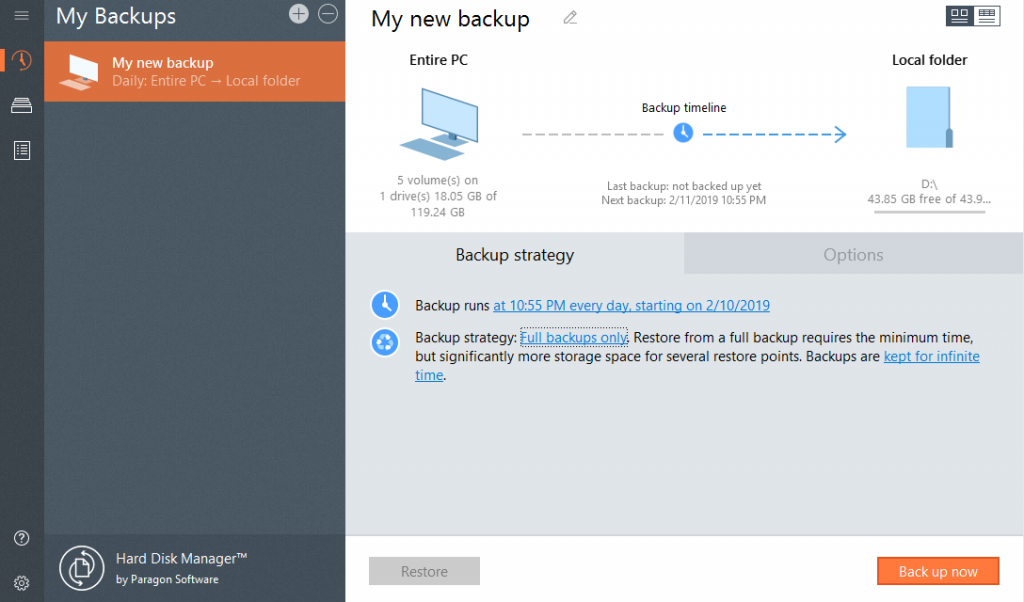
Advanced users can create more sophisticated scenarios based on the provided set of tools. Define specific backup strategy, migrate system and data, perform secure disk wipes and generate detailed reports.
Click through the Interactive Product Tour
to find all of the new HDM’s gems!
Organized and optimized storage
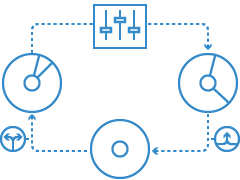
Next-generation partitioning functionality ensures optimal storage use. Your internal drive running low on available disk space? This dilemma often occurs when you have multiple partitions to accommodate different systems and data types. With Hard Disk Manager, you can resize partitions on the fly to maximize available storage capacity. With newly-added features, you also can undelete and merge partitions, edit and view sectors in the built-in hex editor, convert partitions into primary and logical. Easily perform a surface test to identify bad sectors of the partitions.
Live transfer your systems and data
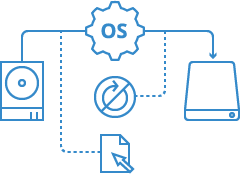
Want to change an old HDD to a new SSD? With Hard Disk Manager, you simply choose where you want your Windows and clone your disk. Continue working on your system while Windows is being relocated. No manual operations or reboots necessary – just switch over when it’s ready. New Drive Copy functionality creates an exact, uncompressed replica of your system’s hard drive onto another drive.
Paragon Recovery Media Builder

Hard Disk Manager comes with full-fledged Paragon Recovery Media Builder to correct boot problems inflicted by logical errors, hardware malfunctions, or failures. If the system becomes corrupted or compromised — malware or ransomware reasons included — you can quickly restore full operability of system and applications with minimal data loss.
Clean up media
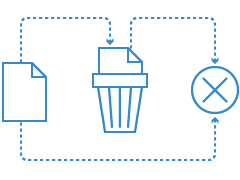
Wipe personal data before disposing of a hard disk. Alternatively, clean unused space only with the possibility to restore a deleted file. You know better than neglecting this simple rule.
Restore any file from backup
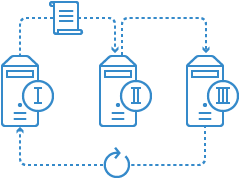
Restore data from backups, including an entire hard disk or its partitions, separate files or folders. Protect backups with a password. Import any backup to restore in WinPE.
Features
| Features | Benefits |
|---|---|
| Windows support | Windows 11 Arm64 editions |
| Basic partitioning | Create, format, delete/undelete, hide/unhide, active/inactive, assign/remove drive letter, change volume label, file system conversion (FAT to NTFS, NTFS to FAT, HFS to NTFS, NTFS to HFS), file system integrity check |
| Advanced partitioning | Split/merge, redistribute free space, change cluster size, convert to logical/primary, edit sectors, compact/defragment MFT, convert to MBR/GPT, change primary slots and serial number, connect VD, surface check |
| Disk Wipe | Industry-class algorithms, shell integration, SSD trim, clear HDD/partition, clear free space, cleanup reports |
| Data Migration | Copy partition, copy entire disk, migrate operating system |
| Backup | Back up an entire system, volumes and files, scheduled backup, incremental and differential imaging, backup encryption and compression, backup data excludes, verify backup data viability, pVHD, VHD, VHDX, VMDK containers support |
| Restore | Restore an entire hard disk or its partitions, separate files or folders from existing backup jobs, isolated backup containers or legacy PBF images. Restore to the original or new location, restore with resizing, import backup jobs to manage in WinPE |
| Backup automation | View/edit backup jobs, unlimited number of jobs |
| Recovery Environments | Recovery Media Builder with drivers injection and pre-mounted network connection capabilities during setup helps to prepare bootable (uEFI and BIOS-compatible) Windows PE USB sticks or ISO images to use the product utilities on bare metal machines or when OS is down |
| E-Mail Notifications | Set up the program to notify you by e-mail about successful completion and/or failure of operations |
| Auxiliary utilities |
|
Choose your license | ||
| Advanced, $79,95 | Advanced $24,95$19,95* | |
| Licensing model | Perpetual | 1 year |
| Concurrent use | 3 computers | 1 computer |
| Windows OS | ✓ | ✓ |
| Windows Server | ✕ | ✕ |
| Operations with VMs | ✕ | ✕ |
| Recovery Media Builder use on | 3 devices | Single device |
| Buy now | ||
*$19,95 for the First year instead of regular $24,95
Supported Technology
| Computer bus interfaces | |
| |
| Storages | |
| |
| Partitioning schema | |
| |
| File systems | |
|
Frequently Asked Questions
About Subscription
| If I buy the second license, will it extend my subscription, or can I use it on additional device? | |
| |
| What happens to the product after my subscription expires? | |
| |
| Can I restore my backups when my subscription expires? | |
| |
| How can I renew or cancel my subscription? | |
| |
| Am I eligible for free upgrades? | |
|
Technical Questions
| Can I use your product on the latest Windows 11 26H2? | |
| |
| What RAID configuration does your product support? | |
| |
| My SATA/RAID controller is not recognized by the WinPE recovery media. | |
| |
| Does your product support Microsoft Dynamic Disks? | |
| |
| Can I change the layout of BitLocker-encrypted volumes? | |
| |
| Windows asks for activation after copying to another storage device. | |
|
Resources
| Upgrade | Get the latest version of Hard Disk Manager Advanced |
| Product Documentation | Download Paragon Hard Disk Manager for Windows Quick Start Guide |
| Need help? | Contact Support |
Paragon Hard Disk Manager (older than 17.45.0)
Security Update for Windows 11
If you are using Hard Disk Manager products prior to version 17.45.0, an update to the BIONTdrv.sys driver is required to meet Microsoft's latest security standards. Please download it via the link below to ensure uninterrupted support for all scenarios.
If you are running version 17.45.0 or later, no update is necessary since it is already fully integrated.