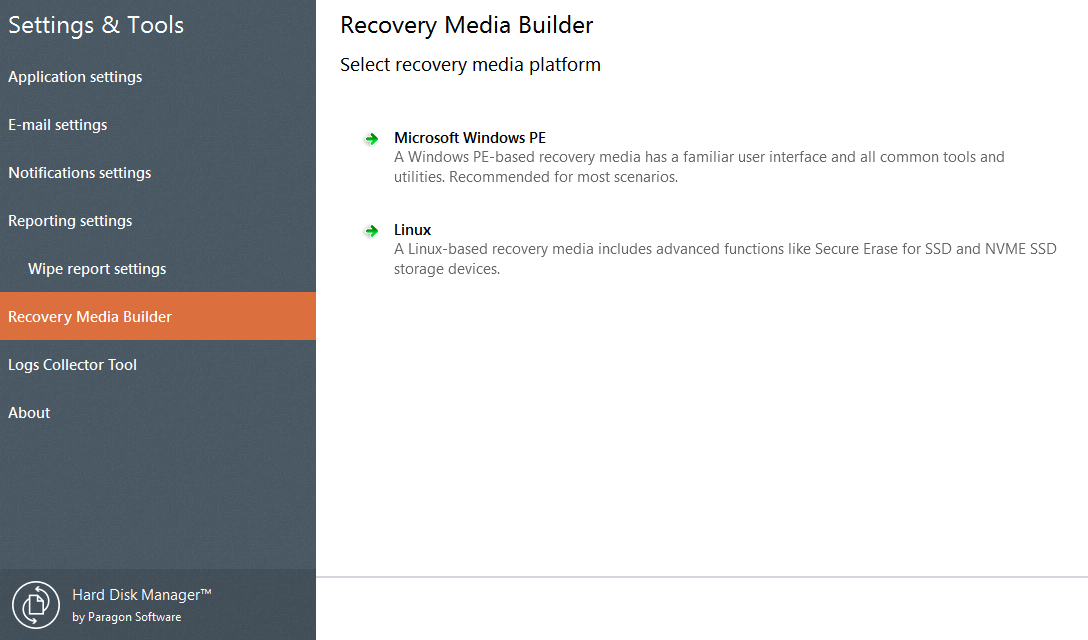
The new Recovery Media Builder 3.0 is now embedded into the product. It can boast more options, usability, and stability:
Prepares Linux or WinPE-based bootable environment on a USB thumb drive or in an ISO
Doesn’t obligatory require Windows Assessment and Deployment Kit (ADK) or Automated Installation Kit (WAIK) on Windows 7 and later platforms
Can build WinPE-based media on Windows XP, Vista, if there’s WAIK installed in the system
Allows injecting additional drivers for storage devices, network controllers, USB controllers, or system during setup
Enables to set up a network connection with a pre-mounted network share during setup
Prepares hybrid (both, uEFI and BIOS compatible) 64-bit recovery environment on flash or in an ISO image
Data Copy and Migration Features
Full range of copying operations
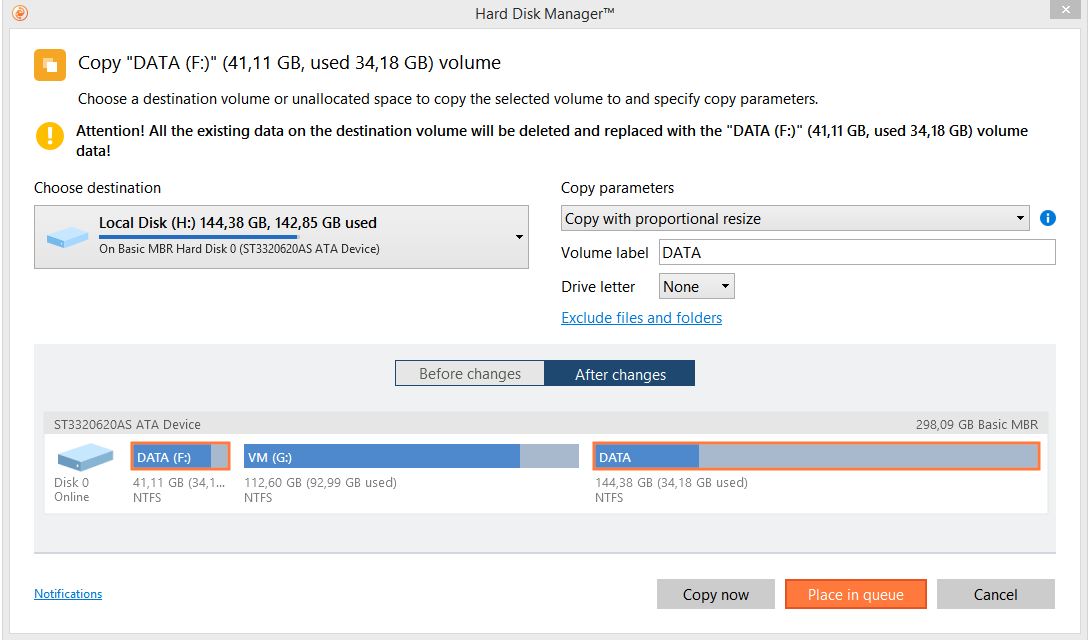
Copy a full hard disk or a separate partition, and resize a partition while copying
Copy/Restore to dissimilar sector size
Copy or restore contents of a 512-byte hard disk to a 4k hard disk with no additional actions from your side
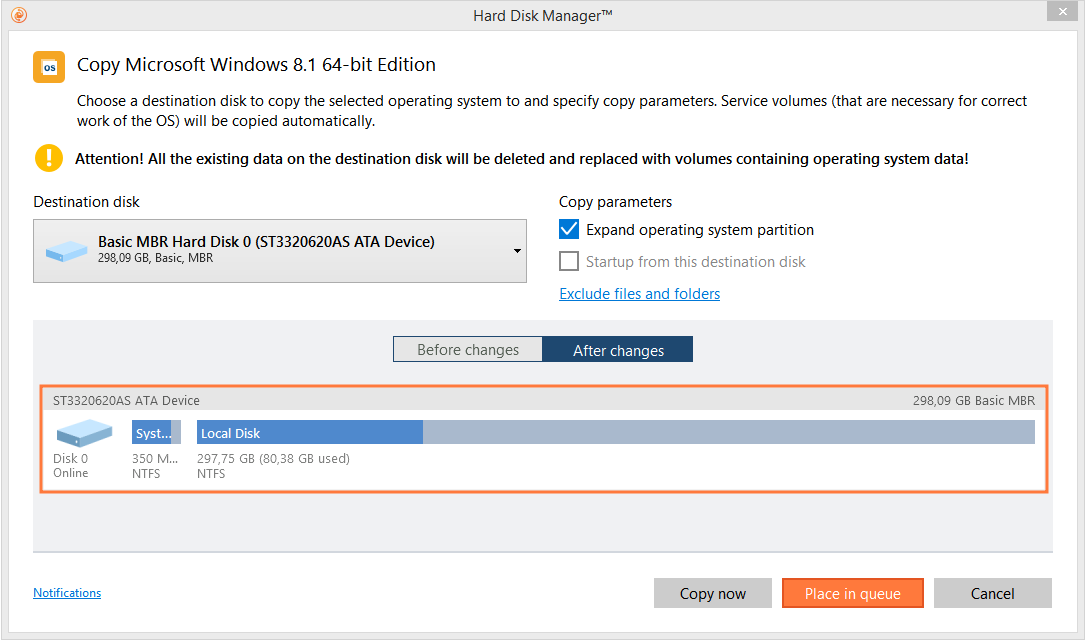
Migrate OS to SSD
Move any Windows OS since XP from a regular hard disk to a fast SSD (Solid State Drive) even of a smaller capacity, thanks to advanced data exclusion capabilities
Migrate OS to dissimilar hardware
Migrate existing systems and make them bootable in a new hardware environment
File exclude for Copy HDD
When copying a partition or a complete hard drive to a new device, you can now easily exclude data you want to exclude from the copy process
Virtualization Features
P2V Copy / P2V Adjust OS
Migrate a physical system to a virtual environment in the online mode and make the OS start up after unsuccessful migration or virtualization with third-party tools
Connect VD
Connect a virtual disk as if it’s an ordinary physical disk and open up all physical-disk functionality in a virtual environment
V2V / V2P
Migrate a virtual system from one virtual environment to another, or migrate a virtual system to a physical environment
Read-only mode for virtual disks
Mount a virtual disk in read-only mode to make sure no data is altered on the virtual disk during copy or other operations
Resume operations on virtual volumes
Drive Copy is now able to resume any operation with a virtual volume in case of disconnection or any other unexpected situation
Support for major virtual machines
MS Virtual PC, VMware Workstation 10.0, VMware Fusion and Oracle VirtualBox 4
Partitioning and Optimization Features
Basic Partitioning Features
Create, format, delete, undelete, hide or unhide partition; set partition active/inactive; set, change or remove drive letter; change hard disk partition label (Volume Label); check file system integrity etc.
Automatic partition alignment
Automatically aligns partitions to boost drive performance
Boot Corrector*
Fix most system boot problems that result from human or program error, or a boot virus activity
Backup and Recovery Features
Sector Backup
Ideal for securing an entire hard disk or a system partition, saving not only all on-disk information but also the system service structures
Restore Wizard
You can restore all types of backup images created with the program
P2P Adjust OS
Make an existing Windows installation bootable on different hardware
WinPE recovery environment**
Provides all Drive Copy functions and supports a wide range of hardware configurations with the option to add drivers for specific hardware on-the-fly
NewEmbedded Recovery Media Builder 3.0
The new Recovery Media Builder 3.0 is now embedded into the product. It can boast more options, usability, and stability:
Prepares Linux or WinPE-based bootable environment on a USB thumb drive or in an ISO
Doesn’t obligatory require Windows Assessment and Deployment Kit (ADK) or Automated Installation Kit (WAIK) on Windows 7 and later platforms
Can build WinPE-based media on Windows XP, Vista, if there’s WAIK installed in the system
Allows injecting additional drivers for storage devices, network controllers, USB controllers, or system during setup
Enables to set up a network connection with a pre-mounted network share during setup
Prepares hybrid (both, uEFI and BIOS compatible) 64-bit recovery environment on flash or in an ISO image
Supported Technologies and Operating Systems
Support for Windows 10
Accomplish any operation under Windows XP / Vista / 7 / 8 / 8.1 / 10
Hot Processing Options
The product has a highly flexible, improved configuration for two different methods of hot processing: Paragon HotBackup and Microsoft Volume Shadow Copy Service (VSS)
Support for the latest HDD standards
Enjoy support for AFD (Advanced Format Drive), 2TB+ and non-512B sector size drives
Complete uEFI Support
Adjust your 64-bit Windows system configured to the uEFI boot mode to successfully start up OS on another hard disk after copy/restore, or in a virtual environment after P2V migration in Windows, WinPE* or Linux
Windows Storage Spaces Support
Copy, back up, restore, or resize Windows Storage Spaces directly in our program
Support for USB 3.0
Manage external hard drives more effectively by using all the benefits of a USB 3.0 interface
Scheduling for copy operations
Set a time table for copy operations to automatically be executed later
Check FS Integrity and Data Loss Policies
Specify the acceptable balance between the operation performance and the risk of data loss
User-friendly Interface
The user interface is fully compatible with the Windows 8 streamlined, tile-oriented interface, offering a Metro-style Express Launcher and a ribbon-based full scale launcher