| NTFS File System General |
| What is NTFS File System? | NTFS is an acronym for New Technology File System. NTFS was first released with Windows NT. It is much more modern, stable, and reliable than FAT or FAT32. This file system was designed for use specifically with Windows OS. It supports long file names, huge disk partitions, and files, full security access control, the ability to recover files/directories, and its structure in the event of hardware failure and many other features. | | Is NTFS File System better than FAT or HPFS? | Yes. The NTFS File System is a replacement for the FAT (File Allocation Table) and HPFS (High-Performance File System) file systems. It gives many advantages over the other file systems, such as the ability to restore files/directories and their structure in the event of hardware failure, improved security, support of huge files/partitions, etc. | | Is NTFS File System the same in every version of Windows? | There are three versions of NTFS File System: 1.2, 3.0 and 3.1. Each of these versions is used in different Windows OS’s and have additional features. - NTFS 1.2: Windows NT 3.1-3.51
- NTFS 3.0: Windows 2000
- NTFS 3.1: Windows XP and later
Version 1.2 is also known as 4.0, version 3.0 as 5.0, and version 3.1 as 5.1. | |
| HFS File System |
| What is the HFS File System? | The Hierarchical File System (HFS) is a file system developed by Apple Inc. for use in computer systems running macOS. Originally designed for use on a floppy and hard disks, it can also be found on read-only media such as CD-ROMs. HFS is also referred to as macOS Standard (or “HFS Standard”), whereas its successor, HFS Plus, is also called macOS Extended (or “HFS Extended”). With the introduction of OS X 10.6, Apple has dropped format and write support for HFS disks and images, which are now supported as read-only volumes. | | Is HFS+ File System better than HFS? | HFS Plus is an improved version of HFS, supporting much larger files (block addresses are 32-bit length instead of 16-bit), using Unicode (instead of macOS Roman or any of several other character sets) for naming the items (files, folders), and also using a full 32-bit allocation mapping table so that the disk could support more than 65,536 allocation blocks. | | Can I read HFS/HFS+ volumes in Linux? | Linux kernel has HFS read support in Linux kernel 2.6.18 and beyond or additional utilities like hfsplus and hfsutils from the repositories to be installed. | |
| UFSD (Universal File System Driver) General |
| What is Paragon UFSD Technology? | UFSD (Universal File System Drivers) is a unique technology specially developed by Paragon Software Group to provide full access (read/write, format, etc.) to volumes of the popular file systems such as NTFS, HFS+, FAT, Ext2, etc. under various platforms: Windows, Linux, etc. in case where these file systems are not natively supported. | | What is a UFSD SDK? | The Universal File System Driver Software Development Kit (UFSD SDK) is designed for developing applications and provides the following main features: - Access to unmounted (drive letter is not assigned) partitions
- Access to file systems including ones not supported by DOS and Windows OS family
- Platform-independent UFSD API
| | The NTFS file system is a proprietary technology of Microsoft. Is the NTFS for Linux driver completely legal? | It is well known that NTFS was originally very close to the HPFS file system developed by IBM. HPFS was much more OPEN in terms of documentation support, data structure, and so on. It helped us gain a better understanding of its nature, architecture, and ideology. The knowledge we have gained about NTFS has already been used for years in our best-selling products: Paragon Hard Disk Manager and Partition Manager. We have sold millions and millions of copies worldwide. The stability of the products as far as NTFS-related operations are concerned speaks for itself and for the stability of NTFS technology in general. Thus, having a good understanding of the HPFS file system, we understand how NTFS works.
Applying our knowledge to the other sources of information like Linux drivers for NTFS (read-only drivers) and debugging Windows applications, we’ve documented NTFS structures from within and created the Universal File System Driver. While developing Paragon NTFS for Linux driver, we always stuck to the following rules: - We never referred to any confidential Microsoft NTFS stuff (docs, codes, etc.) and never applied a reverse engineering approach for Microsoft’s binary code.
- Open sources are the only thing we used, so we gained the majority of our NTFS knowledge and understanding from www.ntfs.com.
- NTFS, as a file system, as well as on-disk layout, is not patented and not documented.
| | What file systems does UFSD support? | UFSD technology provides access to the following file systems: - NTFS/HFS+/exFAT/FAT32/ReFS/APFS under Linux;
- NTFS/HFS+/exFAT/ FAT32/ReFS under ThreadX;
- NTFS/HFS+ under Windows CE;
- ExtFS/HFS+/APFS under Windows;
- ExtFS/NTFS FS under macOS.
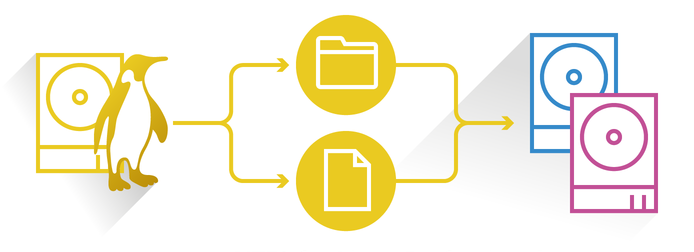
| | How does UFSD work? | UFSD provides direct access to physical devices, which is why it can process partitions regardless of their support by the current OS. With UFSD, it is possible to mount NTFS partitions under Linux, getting access to its contents. Partitions are recognized the same way as with the NTFS for Linux driver. It also allows direct access via physical device addressing, as realized in the UFSD SDK. | | What UFSD products does Paragon Software provide? | Microsoft NTFS for Linux by Paragon Software
NTFS & HFS+ for Android
File System Link Business/OEM solutions
ExtFS for macOS
NTFS for macOS
HFS+ for Windows
ExtFS for Windows
APFS for Windows
APFS SDK Community Edition | |
| NTFS for Linux Software |
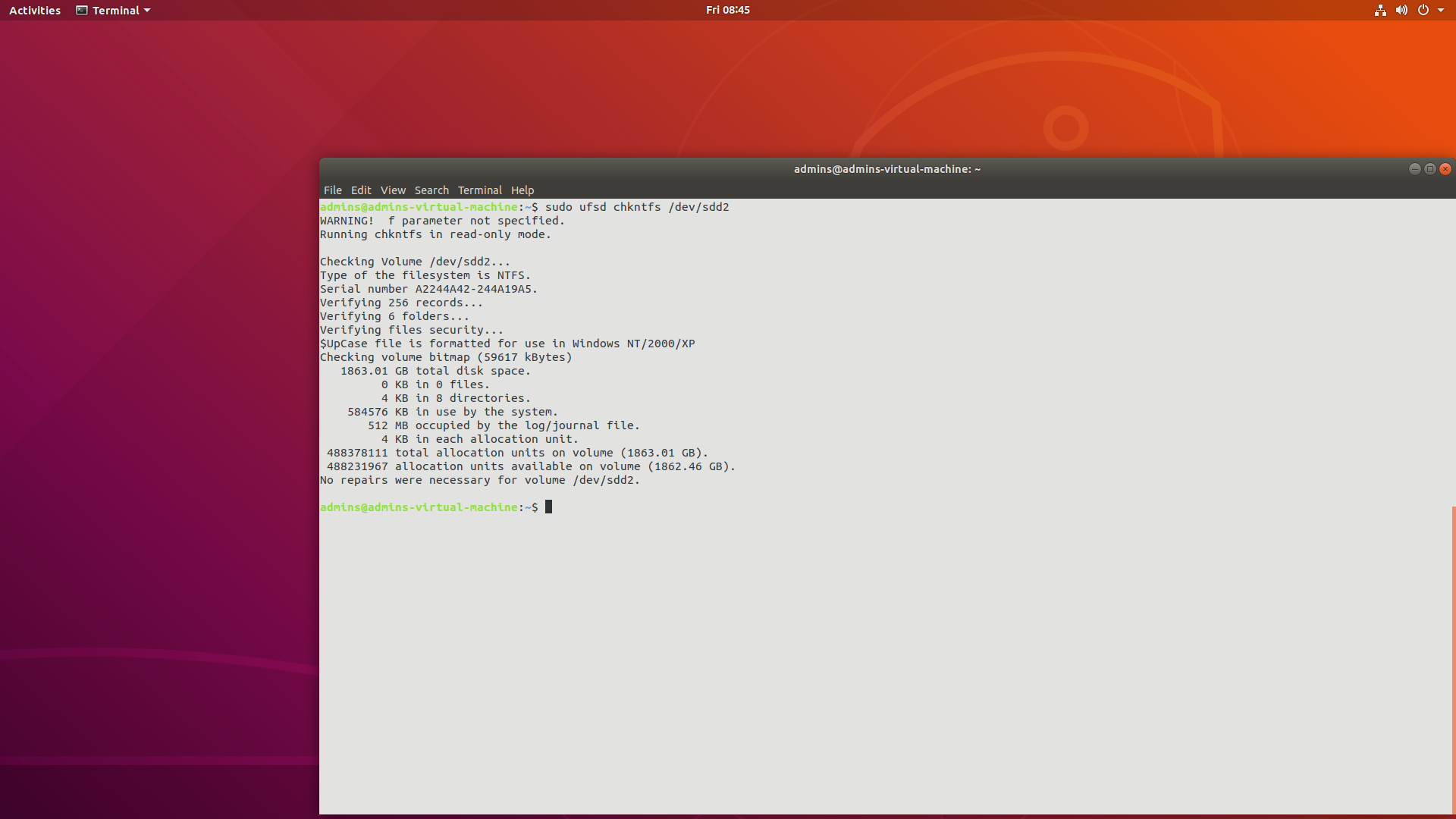
| What is the NTFS&HFS+ for Linux driver? | Paragon NTFS&HFS+ for Linux software provides access to NTFS and HFS+ volumes under Linux. Now everyone can access NTFS and HFS+ partitions under Linux in a usual manner. The driver allows mounting NTFS or HFS+ partitions so that programs can work transparently with these mounted partitions – browse contents, open documents, run applications, work with existing files, and create new ones. The NTFS&HFS+ for Linux driver is a commercial Linux kernel driver for local access to NTFS or HFS+ volumes. It supports full read/write access. Kernel driver means you will have rapid and transparent access to native file systems. Just mount manually or use the automounting feature of the Professional version, and NTFS or HFS+ volumes will be available like any other tree directory. | | What components are included in NTFS&HFS+ for Linux software? | - UFSD modules – NTFS&HFS+ for Linux Driver
- Installation/Uninstallation scripts
- Additional NTFS utilities:
- CHKNTFS – Check utility
- MKNTFS – Format utility
- Additional HFS utilities:
- MKHFS – Format utility
- CHKHFS – Check utility
| | Distribution of NTFS&HFS+ for Linux software | - TGZ archive providing the libraries and source code required to compile for the customer’s environment (NTFS & HFS+ for Linux Desktop products)
- Binary UFSD modules (NTFS & HFS+ for Linux Embedded products)
| | Does NTFS for Linux support NTFS data deduplication? | NTFS Deduplication support is initially available for Microsoft NTFS for Linux as an additional module to Microsoft NTFS for Linux by Paragon Software. For more information about Deduplication support please contact us. | |
| System Requirements and Performance Issues |
| Which Linux kernels are supported? | The free version works with Linux kernel versions 2.6.36 up to 7.0.x. The Professional version supports the latest official kernels. To keep up with the changes in the Linux kernel, our product is also updated frequently. Please contact our OEM licensing team to get the most up-to-date list of supported Linux kernels. Additional porting activities may be required before the driver can be used on platforms with highly customized kernels. | | Is NTFS for Linux by Paragon Software faster than other drivers? | The NTFS&HFS+ for Linux performance is similar to native NTFS performance and, in some cases, even better than the performance of native Linux file system Ext2. Data throughput depends on the CPU performance, cache performance (RAM availability), the actual data writing scenario (size of chunks and order of write operations), number of files written simultaneously, etc. However, the major factor is the fragmentation of volumes and files. In the case of substantial fragmentation, performance could drop significantly in comparison with the performance on non-fragmented files. Performance for several simultaneous copy processes is four to five times slower, regardless of the summary data flow. The same behavior is seen on any other file system and/or operating system. | | What architectures are supported? | Products for home use support x86 and x86-64 architectures.
Paragon Software Group also offers drivers for other architectures where Linux is used. For example: - ARM
- MIPS
- SuperH (SH4)
- Ubicom32
- PowerPC
| | Which Linux distributions are supported? | The following Linux distributions have been tested in the Paragon test lab: - Ubuntu 26.04 LTS (Linux kernel 7.0)
- Manjaro 26.0.4 (Linux kernel 6.18)
- Debian 13.4.0 (Linux kernel 6.12)
- Fedora 44 (Linux kernel 7.0)
- OpenSUSE Leap 16.0 (Linux kernel 6.12)
- CentOS 10 (Linux kernel 6.12)
- Linux Mint 22.3 (Linux kernel 6.14)
- Rocky Linux 10.1 (Linux kernel 6.12)
| | Can I access very large NTFS/HFS+ volumes? | There is no limitation on the maximum volume size (Linux kernel and NTFS/HFS+ limitations still apply). The workability of the NTFS&HFS+ for Linux was verified on 20 TB physical and 25 TB virtual volumes in the Paragon lab. | | Can I access very large files on NTFS and HFS+ volumes? | There is no limitation on the maximum file size (Linux kernel and NTFS/HFS+ limitations still apply). | | Can Paragon NTFS&HFS+ for Linux access volumes on GPT-partitioned disks? | Yes, that is possible if the host OS can understand GPT partitioning tables correctly. | | Does Paragon NTFS&HFS+ for Linux support 4 KB sector size? | Yes, 4KB sector size is fully supported. | |
| Installation |
| Development Environment to install NTFS&HFS+ for Linux software | A development environment is required to compile Linux drivers and utilities. Please verify that these tools are functional. The easiest way is to choose the developer toolkit when installing Linux.
What must be installed: - kernel source code (recommended) or header files (doesn’t always work) for the kernel
- GNU C (gcc) compiler (version 3.3 or higher is required)
- GNU C++ (g++) compiler
- GNU glibc-static library
- GNU Make
- GNU ld (binutils)
- Modutils (module-init-tools)
- DKMS library
| | Can I install NTFS&HFS+ for Linux software to Knoppix? | Yes, you can. To install the software, you should have the kernel sources for the Knoppix on which you want to install the drivers and utilities. Usually, you can find the kernel sources for the Knoppix on its DVD version (not CD). | | Limitations | GNU C compiler (gcc) must have the version 3.3 or higher.
The user should log in as root to install the drivers and utilities.
Correct operation is not guaranteed for customized Linux kernels. | |
| Maintenance |
| Can I create and format an NTFS or HFS+ partition under Linux? | The user can create a partition with a standard Linux fdisk/parted utilities and then format it using the mkntfs or mkhfs utilities.
For example: - To create a partition write
# parted/dev/sdb and follow the instructions - To format in an NTFS partition:
# mkntfs –v:Mylabel /dev/sdb1 to format the /dev/sdb1 volume. - To format in an HFS+ partition:
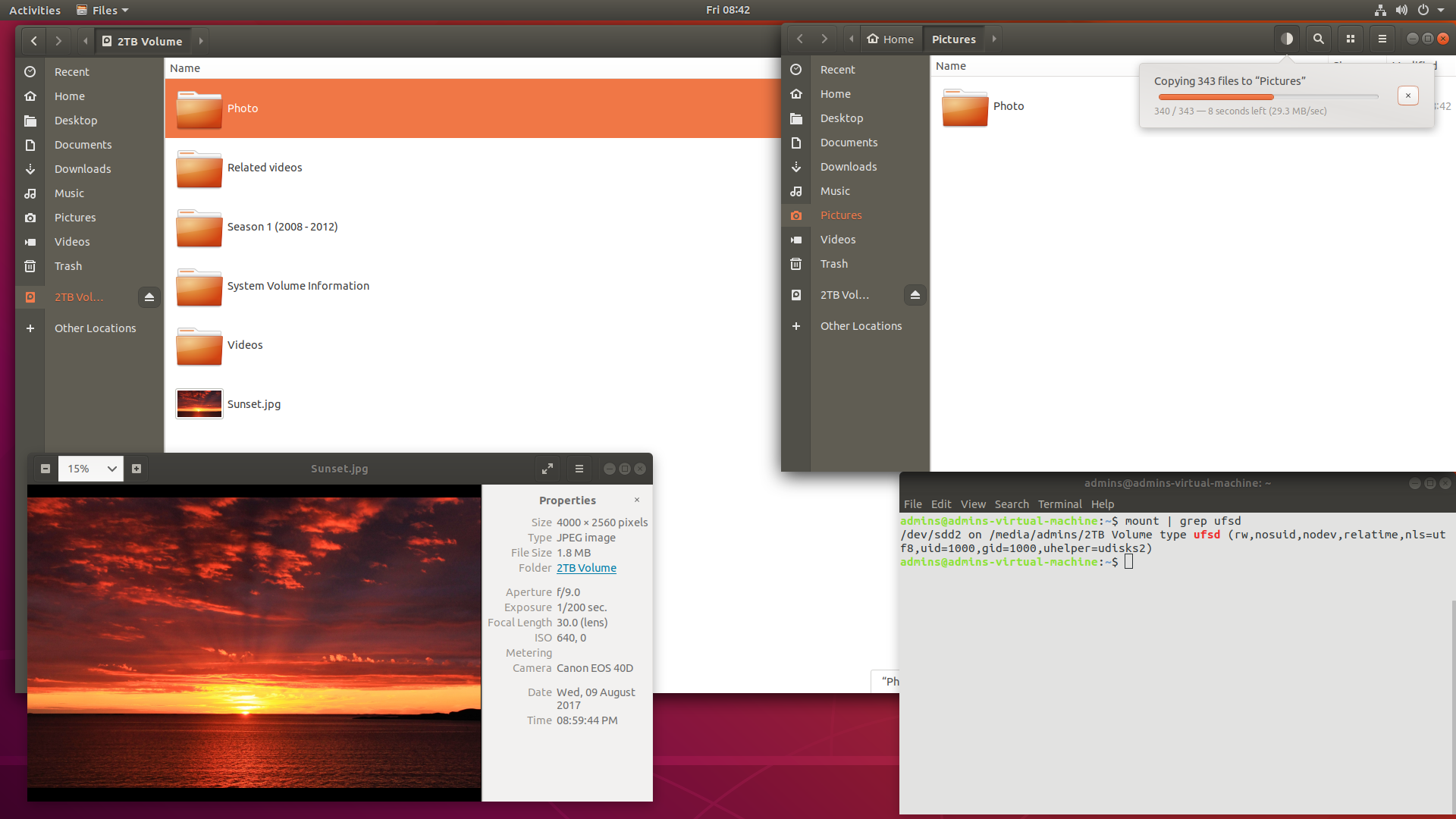
# mkhfs -v:MyLabel /dev/sdb1 to format the /dev/sdb1 volume. | | Can I mount NTFS/HFS+ volumes with non-English filenames? | If a partition to be mounted contains files or directories whose names have non-English characters, please use the “nls” option: nls=utf8.
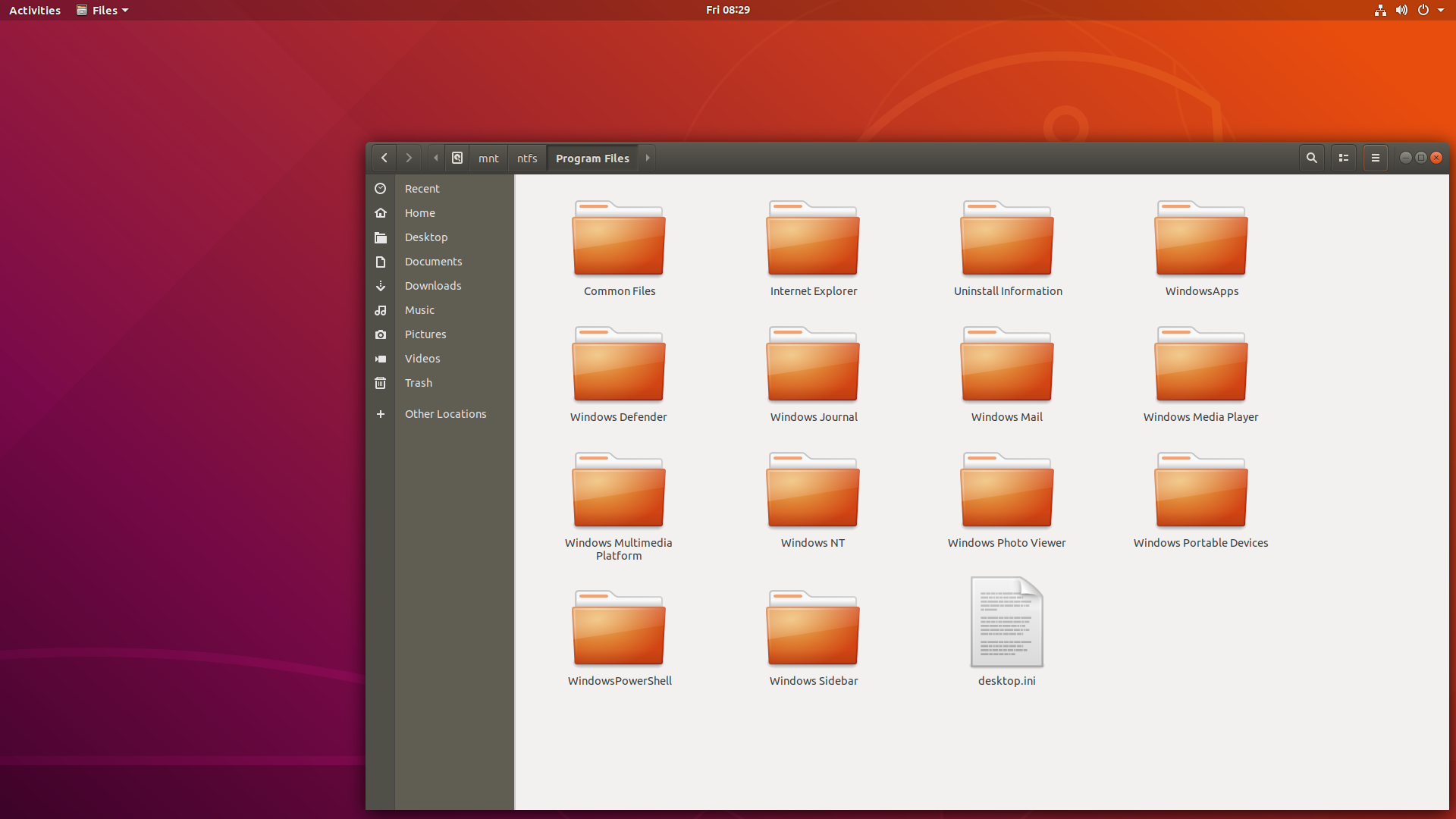
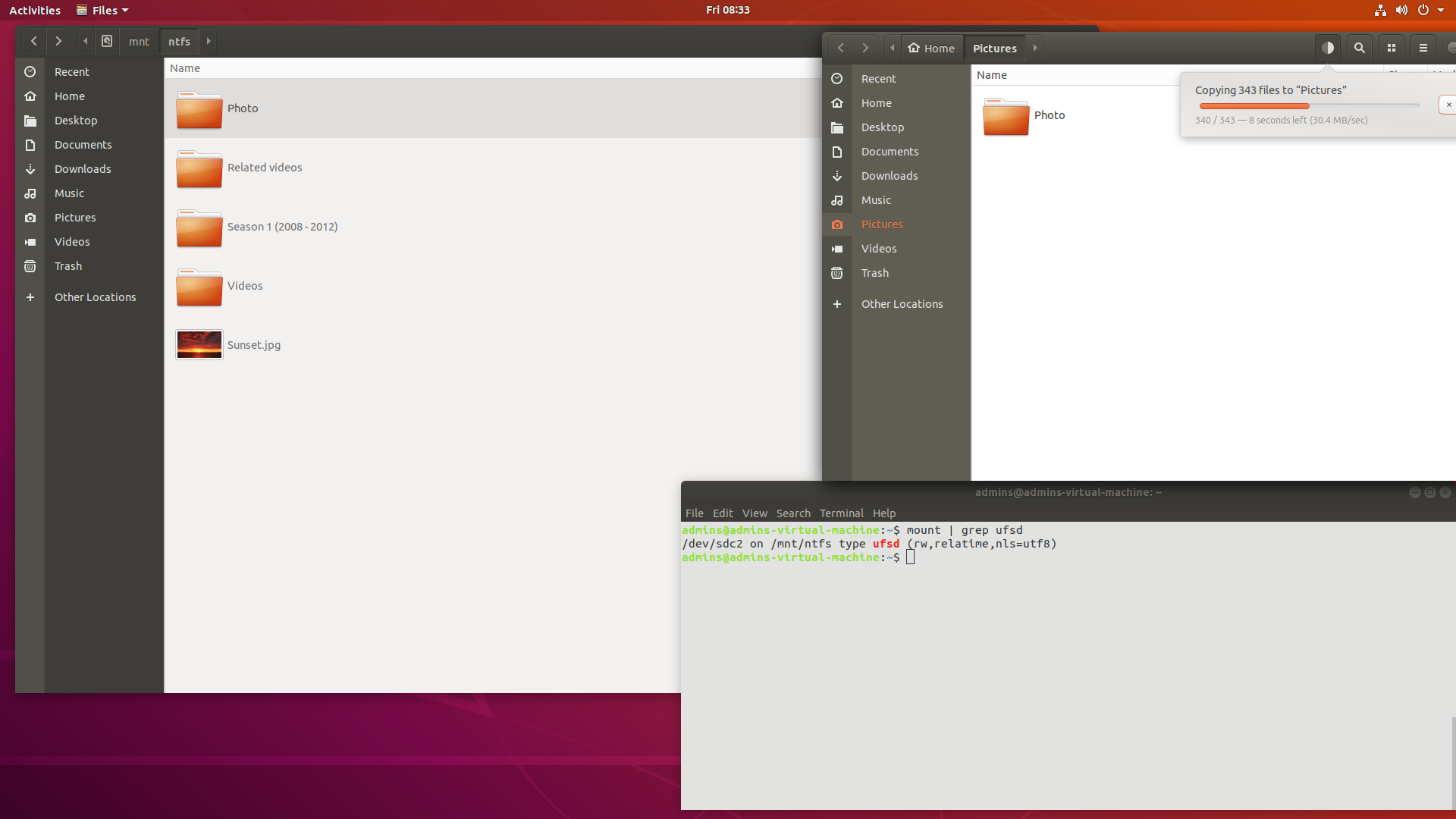
For example, mount -t ufsd -o nls=utf8 /dev/sda2 /mnt/ntfs (run in a Linux console as root or place it into the /etc/fstab file). | | Can I share an NTFS partition via Samba, FTP, etc.? | The NTFS&HFS+ for Linux driver enables the shared work with NTFS partitions and folders. It is not prohibited to process an unlimited number of connections simultaneously.
Note: Parameters of the mount command must allow Samba, FTP, etc. servers to get access to the mounted NTFS partition. | | Can I access several NTFS partitions simultaneously? | Yes, it is possible to mount and access several (up to 12 were tested) NTFS partitions simultaneously. | | Can I change the permissions of a mounted NTFS volume? | Since there is no way to map Windows accounts into Linux users, permissions for files and directories are set when an NTFS partition is mounted (similar to the FAT file system, which does not store any information about access rights at all). These permissions are controlled by the following mount options: - uid
- gid
- umask
- dmask
- fmask
This behavior is different in Embedded and Desktop Products – see Implementation Guide or User manual, respectively. | | How to mount an NTFS volume with full access rights (for all users)? | Just mount the NTFS partition using the following command:
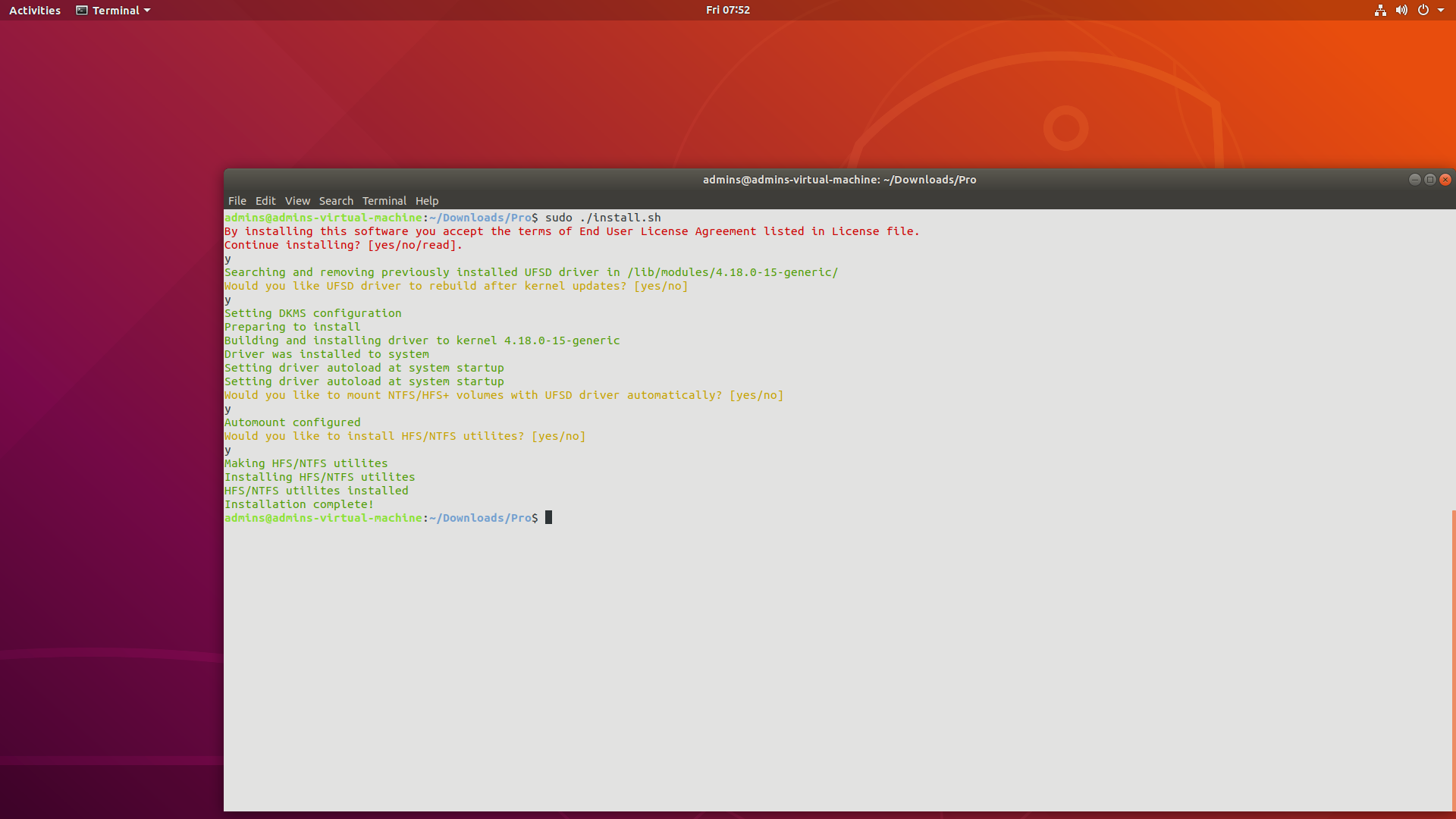
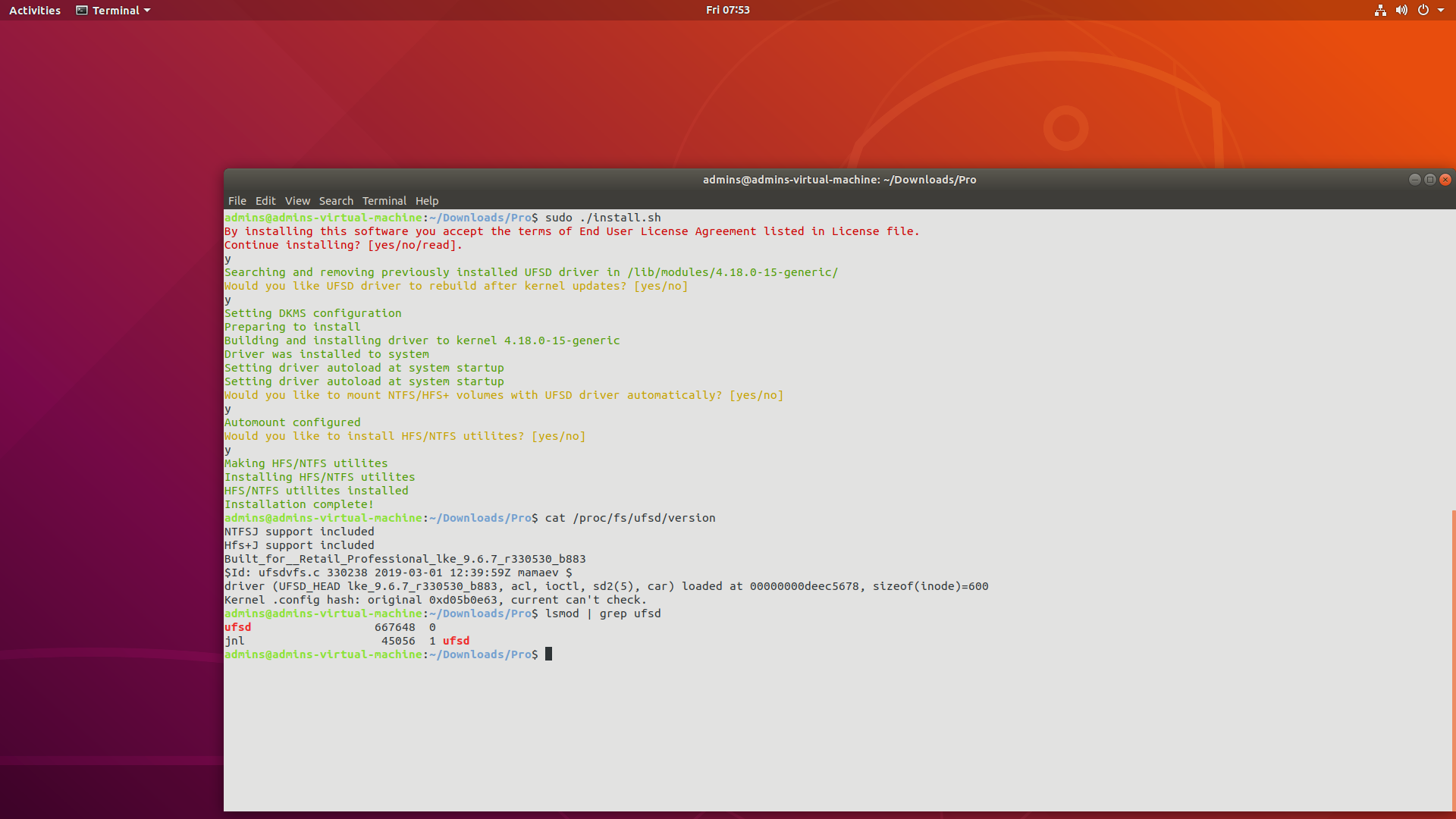
# mount -t ufsd -o umask=000,fmask=000,dmask=000 /dev/hdb1 /mnt/ntfs | | Can I mount NTFS/HFS+ volumes automatically? | You can enable automatic mounting of NTFS/HFS+ volumes by adding lines to /etc/fstab (filesystem table) file or by using the Paragon NTFS&HFS+ for Linux Professional version, which will add settings for automounting of NTFS/HFS+ volumes with the UFSD driver into your Linux system during installation. | |
| OEM / FAQ |
| Can I customize NTFS&HFS+ for Linux for a non-standard hardware platform | The architecture of the NTFS for Linux driver allows porting it to any hardware platform available on the present-day market. Paragon Software Group has a unique experience in customizing the NTFS for Linux drivers for various platforms. | | Can I access an NTFS partition from my application? | To get access to NTFS partitions from an application, you should use a Paragon NTFS driver for the host operating system that the application runs on, or Paragon UFSD SDK. | | What should we provide to Paragon so that we may get the driver for our specific device/environment (not the generic x86, x86_64 version of the driver)? | We need the following package to port our driver into your specific device (NAS, media device, etc.): - A HW sample with access to root console (either COM port, Telnet or SSH)
- Kernel Source for which we need to compile the driver, so we can build the same kernel image you use into your device
- Kernel_config and makefile file for your customized kernel
- C and C++ cross-compilers (GNU gcc) to be able to compile our driver from our sources
- C and C++ cross-compilers (GNU gcc) to be able to compile user-space applications (mkfs, chkfs utilities) from our sources
- Toolchain (if it exists)
We need the following package to build our driver for your specific environment: - Your Linux distribution (nice to have)
- Kernel Source for which we need to compile the driver
- Kernel_ config file and makefile file for your customized kernel
- The compiler you used to compile your customized kernel
| |





 Mon thru Fri
  +1-888-347-5462
  Mon thru Fri